Keynote Speaker AV Rider Checklist: 2026 Guide
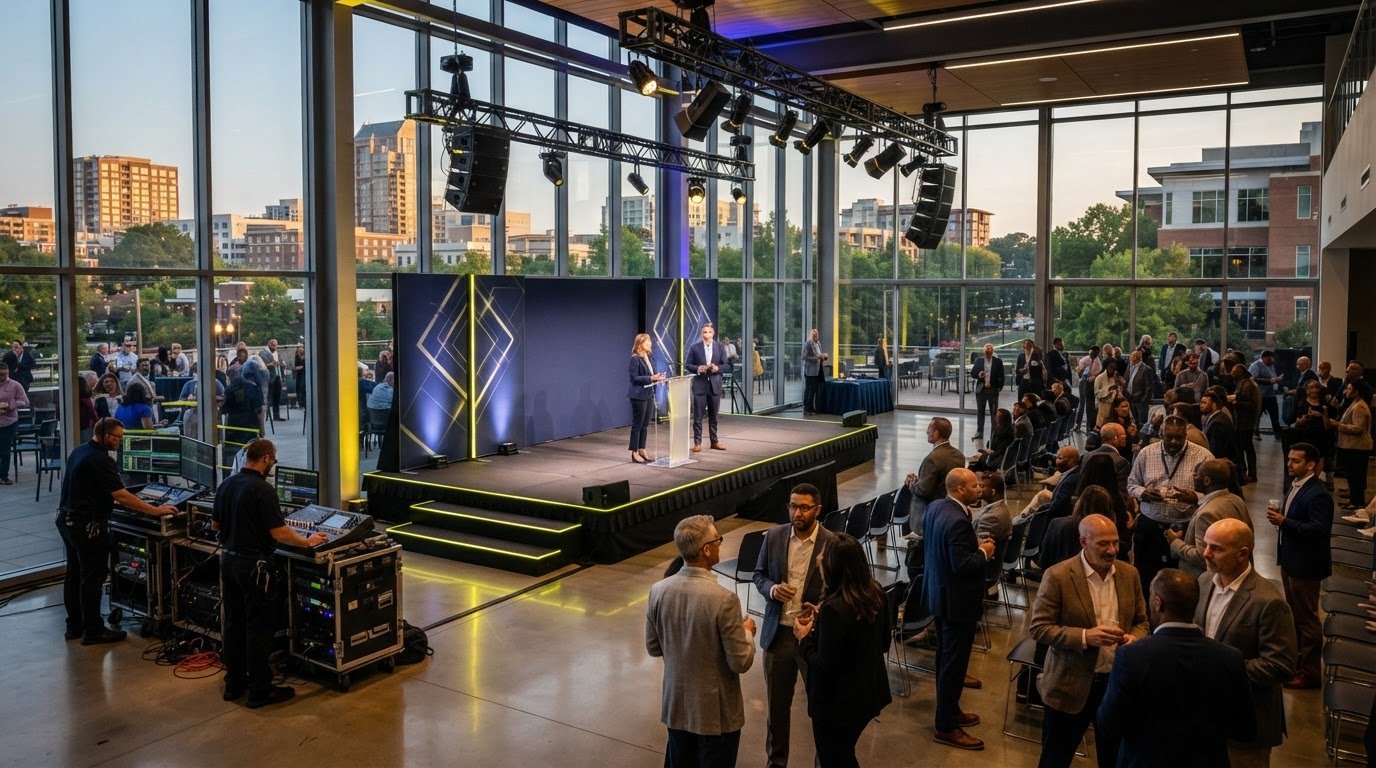
The house lights dim, the walk-on music swells, and your keynote speaker steps onto the stage only to realize their clicker won't advance the slides. It's a nightmare scenario that haunts even the most seasoned event planners. You likely agree that the pressure of translating a complex set of technical demands into a functional equipment list is one of the most stressful parts of event production. Managing the gap between a speaker’s expectations and the venue's capabilities often leads to fragmented communication and last-minute scrambles. This guide provides a comprehensive keynote speaker AV rider checklist designed to eliminate that logistical friction and ensure a world-class presentation.
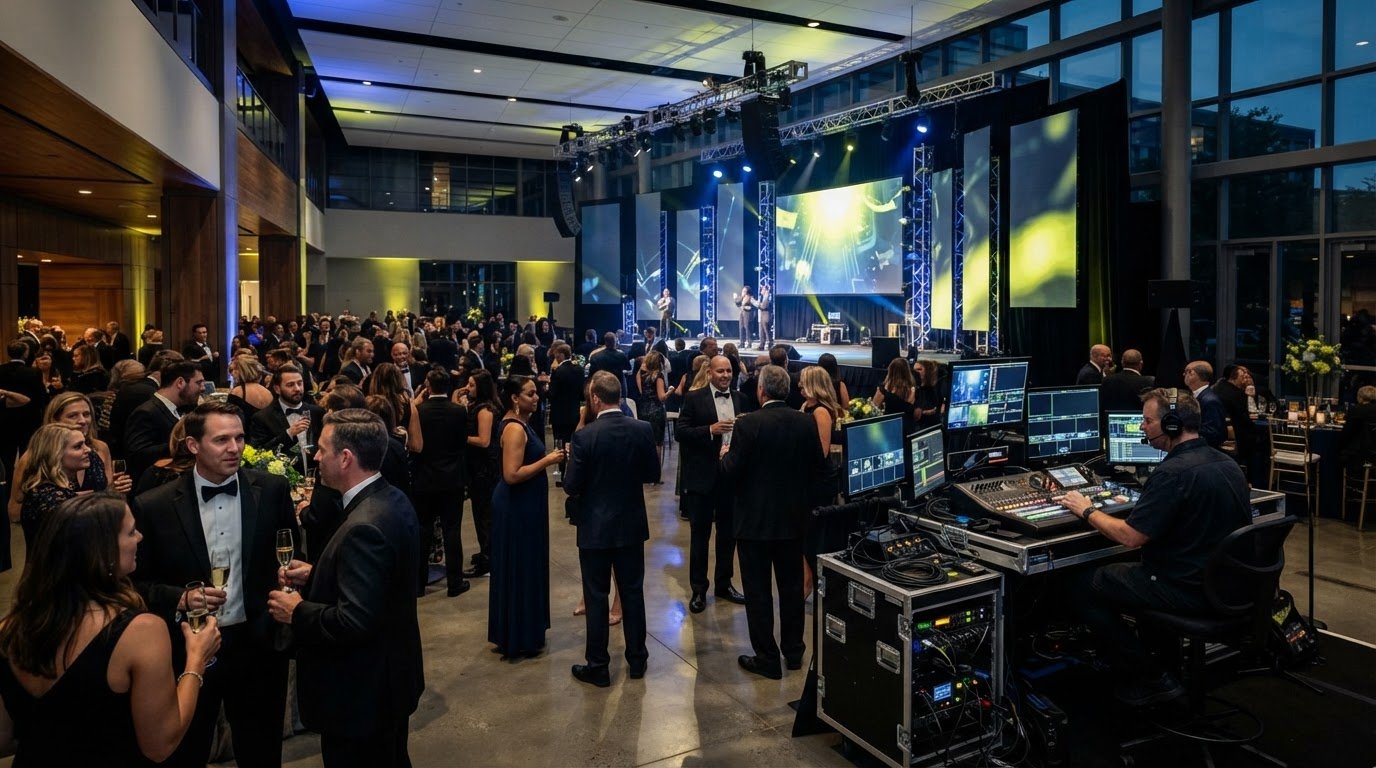
By mastering every technical detail, you can transform a speaker's rider from a source of anxiety into a clear roadmap for success. We'll show you how to vet audio requirements, confirm visual compatibility, and coordinate with your AV team for a seamless execution. You'll gain the confidence that comes from expert oversight, allowing you to focus on the big picture while the technical logistics remain under total control. This 2026 guide breaks down the essential hardware and staging elements you need to book for a flawless corporate event.
Table of Contents
Understanding the Keynote Speaker AV Rider as a Production Blueprint
An AV rider isn't just a list of preferences or a "wish list" for the green room. It's a technical contract. Understanding the Keynote Speaker AV Rider is foundational for any event planner who wants to avoid high-stakes failures. This document acts as a production blueprint that aligns the speaker’s performance needs with the venue's actual technical infrastructure. When you treat the rider as a strategic roadmap, you move from a transactional mindset to a partnership that guarantees quality.
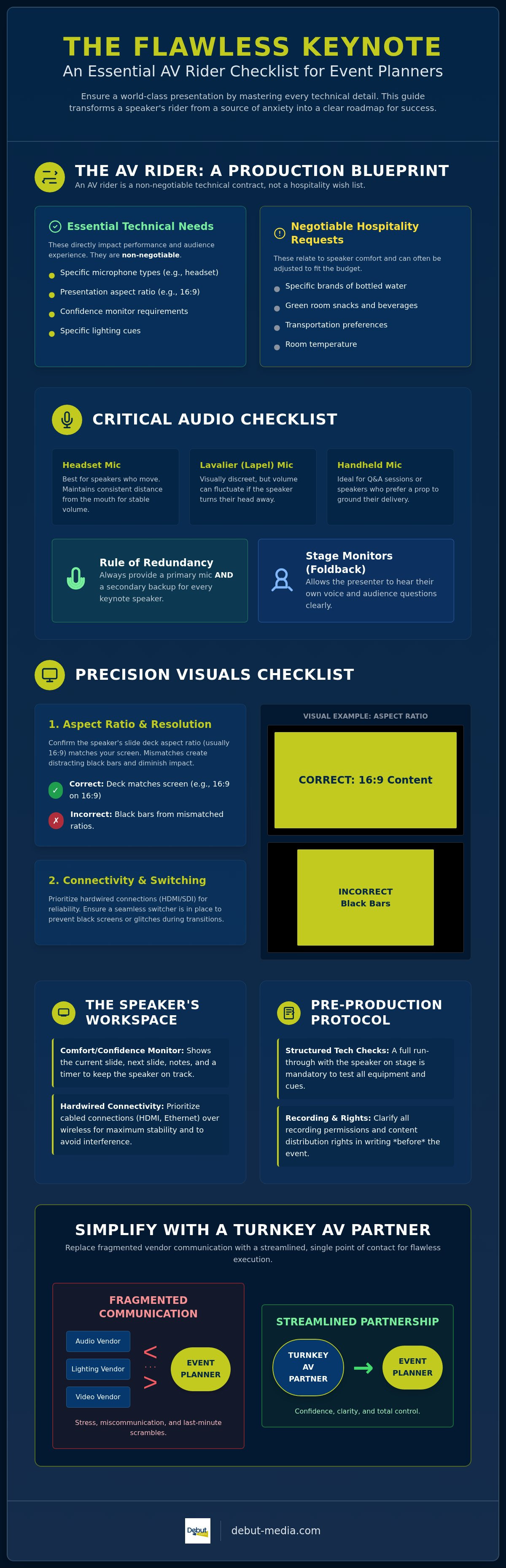
You must distinguish between "essential" technical needs and "negotiable" hospitality requests. Technical requirements like specific microphone types, slide aspect ratios, or lighting cues are non-negotiable. These elements directly impact the audience's ability to engage with the content. In contrast, hospitality requests like specific beverages are secondary. If you overlook a technical detail on your keynote speaker AV rider checklist, the costs are high. You'll face audio feedback, distorted slide aspect ratios, and significant delays that drain the energy from the room.
Why Technical Riders are Non-Negotiable for High-Stakes Events
Professional speakers depend on specific tools to deliver their message effectively. A technical rider ensures they have those tools. It protects the event organizer by setting clear, documented expectations and protects the speaker by ensuring they aren't walking into a technical vacuum. There are legal implications to consider as well. Failing to meet contracted technical requirements can lead to breach-of-contract issues. More importantly, meeting these specs builds immediate trust with elite talent. They can tell when a production team is ready for them, which sets a positive tone for the entire engagement.
Translating Speaker Requests into AV Inventory Requirements
A professional AV partner doesn't just read a rider; they audit it for feasibility. If a speaker asks for a "wireless mic," that needs to be translated into specific, frequency-coordinated hardware. This hardware must be capable of operating without interference in a room crowded with hundreds of mobile devices. You must audit the venue’s existing capabilities against the speaker’s specific demands early in the planning process. Identifying a technical "deal-breaker" early allows you to secure the necessary projector and screen rentals before the event begins. Using a detailed keynote speaker AV rider checklist ensures that every line item on the rider becomes a confirmed piece of equipment in your inventory, leaving nothing to chance.
The Essential Audio and Video Checklist for Professional Keynotes
High-stakes keynotes leave no room for technical ambiguity. When you build your keynote speaker AV rider checklist, you're creating a system where every component has a fail-safe. Audio and video aren't just utilities; they're the bridge between your speaker’s expertise and your audience’s attention. A failure in either category doesn't just disrupt the flow. It actively damages your brand’s credibility and the perceived value of the event.
Microphones and Audio Reinforcement Standards
Audio starts with the right capture device. For speakers who pace the stage, a headset microphone is superior to a lavalier because it maintains a consistent distance from the mouth, preventing volume fluctuations. Handheld mics are best for Q&A sessions or speakers who prefer a physical prop to ground their delivery. Regardless of the choice, you must provide a primary and a secondary backup for every keynote. This redundancy is a hallmark of a Flawless Keynote Speaker Experience. Don't forget stage monitors, often called "foldback" speakers. These allow the presenter to hear their own voice and audience questions clearly without straining, which is vital for maintaining a natural speaking pace.
Display Technology: Aspect Ratios, Resolution, and Seamless Switching
Modern visual standards have moved past basic projection. While 16:9 remains the standard for most slide decks, high-end corporate galas often utilize ultra-wide LED walls that require custom resolutions. If your speaker’s deck doesn't match the screen's aspect ratio, you'll end up with unsightly black bars or distorted images. Behind the scenes, the signal path matters just as much. HDMI cables often fail over long distances; professional setups use SDI or fiber optic conversions for reliability. You should also insist on a dedicated "show laptop" located at the technician’s table. Running presentations from a laptop on the podium is risky because it introduces a single point of failure that is physically out of the technician’s reach. Using professional Projector and Screen Rentals ensures your equipment is up to these rigorous technical standards.
Seamless switchers act as the backbone of the visual experience. They allow for "clean" transitions between different video sources, such as a slide deck and a pre-recorded video, without the audience seeing a desktop or a "no signal" blue screen. Finally, ensure the stage lighting is balanced for both the live audience and any recording devices. Even the best keynote speaker AV rider checklist fails if the speaker is lost in shadows during a livestream or the video playback looks washed out due to poor stage illumination.
Stage Environment and Connectivity: Managing the Speaker’s Workspace
The stage is more than a platform; it's a high-performance workspace. While planners often focus on what the audience sees, a professional keynote speaker AV rider checklist prioritizes what the speaker sees. If a speaker feels technically "blind" on stage, their delivery loses its natural rhythm. You can prevent this by managing the physical and digital connectivity of the stage environment. A well-organized stage allows the talent to focus entirely on their message rather than worrying about technical gaps.
Confidence Monitors and Downstage Displays (DSDs)
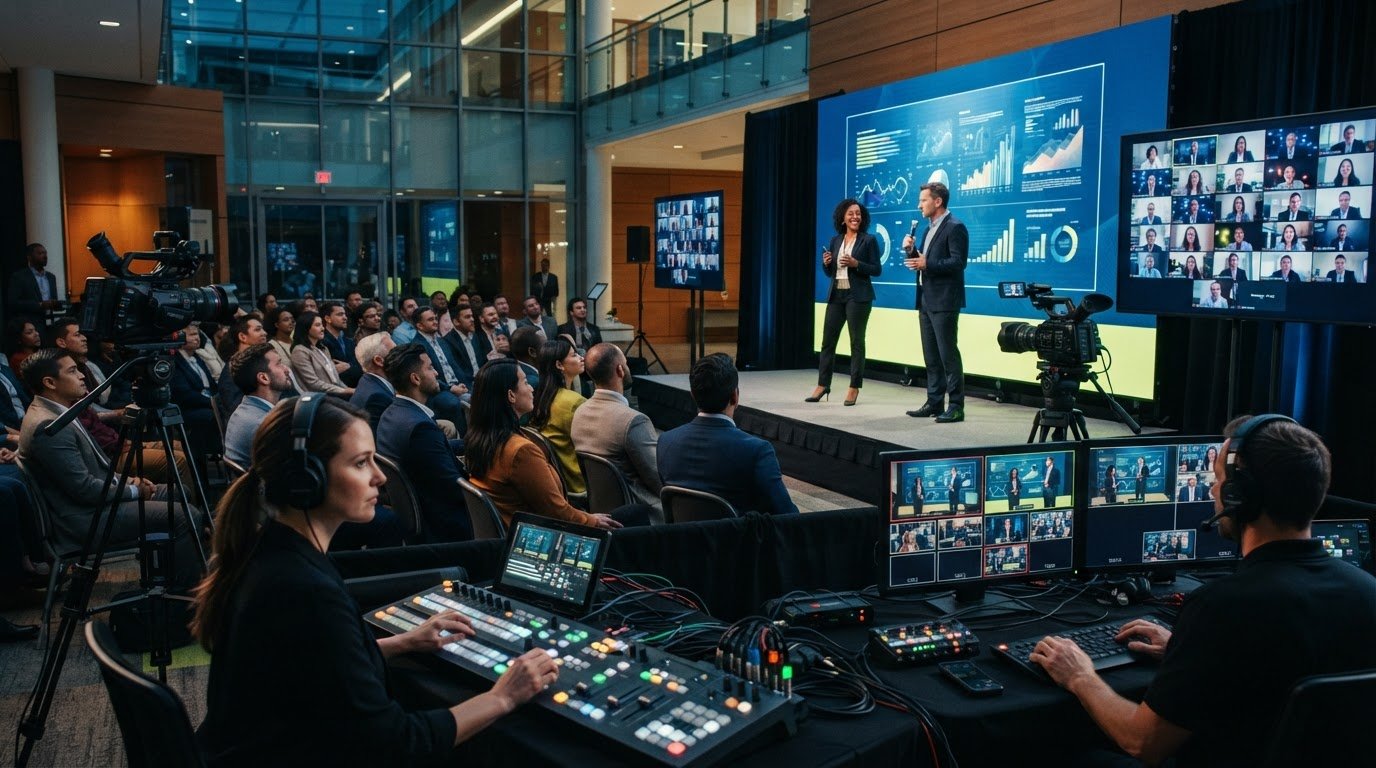
One of the most critical elements for speaker flow is the Downstage Display, or DSD. These monitors sit at the edge of the stage, angled toward the speaker. They prevent the awkward habit of a speaker turning their back to the audience to check their slides on the main screen. A standard setup displays the "Notes View" or a "Next Slide" preview. For complex presentations, you might need multiple DSDs. This allows the speaker to see their current slide on one screen and their upcoming cues or a countdown timer on another, ensuring they never lose their place.
Presentation Remotes and Local vs. Remote Slide Control
Reliability is the priority when it comes to advancing slides. Standard Bluetooth clickers often fail in large ballrooms due to signal interference from hundreds of mobile devices. You should specify RF remotes, such as a PerfectCue system, on your keynote speaker AV rider checklist. These systems use a dedicated radio frequency to ensure the slide advances every time, even over long distances. Always have a "Next slide, please" backup plan ready. This involves a hardwired communication line between the stage and the technician's table. If the remote fails, the speaker can signal the tech to advance the deck manually without the audience noticing a glitch.
Connectivity extends beyond the remote. Don't rely on venue Wi-Fi for interactive elements or web-based presentations. A hardwired ethernet connection at the podium is a non-negotiable requirement for stability. Similarly, ensure there's dedicated power for the speaker's devices on stage. The choice between a podium and an open stage also dictates where you place this equipment. An open stage requires "stealth" cabling and low-profile monitors to maintain a clean look. Finally, include a large, speaker-facing countdown clock. This keeps the session on schedule without the speaker having to check a watch, maintaining the professional flow of your event.
Pre-Production Logistics: Rehearsals, Recording, and Rights Management
The technical setup is only half the battle. A robust keynote speaker AV rider checklist must account for the pre-production logistics that bridge the gap between setup and showtime. Without a structured timeline for rehearsals and a clear plan for digital assets, even the most advanced equipment won't prevent human error. Managing these moving parts requires a stabilizing force to ensure version control and technical synchronization across all departments. It's about creating a predictable environment where the speaker can perform at their peak.
The Critical "Tech Check" and Rehearsal Timeline
The tech check isn't a casual microphone test. It's a dedicated 30 minute window that serves as the most important part of the speaker’s day. During this time, the technical lead confirms audio levels across the entire stage and tests every slide transition. If the deck includes embedded video, it must be played in full to ensure the audio-visual sync is perfect. This rehearsal also allows the speaker to adjust to the stage lighting and monitoring systems. It’s about building muscle memory in the physical space so the talent feels completely supported by the technology around them.
Navigating Recording Rights and Livestream Integration
Modern corporate events often live beyond the room. Your keynote speaker AV rider checklist should specify the technical requirements for high-quality archival recording and livestreaming. If you're managing a hybrid event, integrating remote audiences requires a dedicated bridge to prevent audio lag and visual latency. Securing "clean" audio feeds is essential for post-production. This means recording the speaker's microphone on a separate track from the room's ambient noise. It ensures your highlight reels and educational content maintain a professional standard.
Beyond recording, version control for the presentation deck is a frequent friction point. You should implement a strict cutoff time for slide updates to prevent last-minute file corruption or sync issues. If a video file fails to play onsite, your team needs an immediate emergency protocol, such as a localized backup on the show laptop. Debut Media provides comprehensive Audio Visual Services that handle these logistical hurdles, acting as a single point of contact to ensure your pre-production is as polished as the keynote itself. This turnkey approach eliminates the stress of managing fragmented communication between speakers, venues, and recording crews.
Simplifying Keynote Production with a Turnkey AV Partner
Managing high-stakes keynotes becomes a logistical nightmare when you're juggling multiple vendors. You often find yourself stuck between a venue's in-house team and an external production house. This fragmentation creates gaps where critical details from your keynote speaker AV rider checklist can fall through. A turnkey partner acts as a master coordinator. They ensure every technical requirement is met without you having to translate jargon or mediate disputes. It's the most efficient way to protect your event from the risks of miscommunication.
The Advantage of a Single Point of Contact in Planning
When you have a single point of contact, you eliminate the "blame game" that often happens during setup. If a projector fails or a microphone drops signal, there's one team responsible for the fix. This approach streamlines communication between the speaker bureau and the technical crew. By leveraging professional corporate event logistics management, you ensure every piece of the puzzle fits together perfectly. It's about creating a cohesive production ecosystem where everyone is on the same page from day one.
How Debut Media Eliminates Technical Friction for Keynote Success
Debut Media positions itself as a stabilizing force in this complex process. We provide turnkey audio visual services for seminars and galas across the country. Our national coverage means you get the same high standard of execution regardless of your event's location. Our in-house technical crew handles everything from the initial setup to the final equipment strike. This hands-on oversight gives you the peace of mind that comes from knowing experts are managing the moving parts. We replace the stress of fragmented communication with a single, reliable partnership.
Consider a scenario where a speaker’s rider demands a non-standard LED wall resolution and a specific RF remote system. Without a turnkey partner, you'd spend hours verifying equipment compatibility with the venue. With Debut Media, we take that keynote speaker AV rider checklist and handle the auditing, sourcing, and operation ourselves. We transform a complex set of demands into a flawless execution. This streamlined process removes logistical friction and allows you to focus on the content of the event while we handle the technical success. It's a professional, solution-oriented approach designed for planners who cannot afford a technical failure.
Master Your Next High-Stakes Production
Executing a flawless keynote requires moving beyond basic equipment lists and embracing a strategic production blueprint. By following a structured keynote speaker AV rider checklist, you ensure that every technical detail, from microphone redundancy to stage connectivity, supports a world-class presentation. You've learned how to audit speaker demands for feasibility and manage the pre-production logistics that prevent onsite failures. The key to long-term success is replacing fragmented vendor communication with a cohesive, professional strategy that prioritizes reliability and precision.
Debut Media acts as your stabilizing force, providing a single point of contact for all AV and logistics needs. Our professional technical crew offers national coverage for seminars, conferences, and galas, ensuring your vision is executed with turnkey efficiency. Streamline your next keynote with Debut Media’s professional AV services. With the right technical roadmap and a dedicated partner by your side, you can step into your next event with absolute confidence that every detail is under control.
Frequently Asked Questions
What is the most common AV request in a keynote speaker rider?
Wireless microphones, specifically headsets or lavaliers, are the most frequent request in any professional keynote. Speakers prioritize hands-free mobility to engage with the audience without being tethered to a podium. This request usually includes a primary unit and a secondary backup to ensure zero downtime. Clear audio reinforcement is the foundation of any successful presentation. Planners should also verify frequency coordination to avoid signal interference from other mobile devices in the room.
How much time should I schedule for a speaker’s technical rehearsal?
You should schedule a minimum of 30 minutes for a dedicated technical rehearsal. This window allows the speaker to walk the stage, test the clicker, and verify audio levels in the actual room environment. It's also the time to check embedded video files and transition cues. For complex presentations with multiple media sources, extending this to 45 minutes provides a necessary buffer for troubleshooting and ensures the speaker feels fully prepared before the house lights dim.
Do I need to provide a laptop for the speaker’s slides?
Yes, providing a dedicated show laptop at the technician's table is the industry standard for reliability. While speakers often carry their own devices, running the deck from a professional-grade laptop managed by your AV team prevents connection issues. This setup allows for seamless switching between sources and ensures the technician can intervene immediately if a file glitches. It also keeps the podium clear of distracting cables and hardware, creating a cleaner look for the audience.
What is a confidence monitor and is it really necessary?
A confidence monitor is a screen placed at the foot of the stage that shows the speaker their current slide, notes, or a timer. It is essential for high-stakes keynotes because it allows the presenter to stay focused on the audience instead of turning around to look at the main screen. Including this on your keynote speaker AV rider checklist guarantees a more natural delivery and reduces speaker anxiety during technical transitions between complex slide decks.
Can I record a keynote speaker if it isn’t in the original contract?
No, you cannot record a speaker without explicit written permission, as intellectual property rights are strictly protected in most professional contracts. Recording rights are a separate legal and technical consideration that must be negotiated upfront. If the speaker agrees, your production team must then coordinate the technical requirements for a clean audio and video feed. This ensures the final recording meets professional standards for archival or marketing use without violating the talent's specific contractual terms.
What happens if the speaker’s rider requests equipment the venue doesn’t have?
You must bridge the gap by sourcing external rentals or partnering with a turnkey production provider like Debut Media. Venues often have limited in-house inventory that may not meet the specific standards of a modern keynote speaker AV rider checklist. A professional AV service handles these logistics by bringing in specialized hardware like high-lumen projectors or RF remotes. This proactive approach eliminates logistical friction and ensures the speaker has the exact tools they need for success.
Why do speakers prefer specific microphone types like a headset over a lavalier?
Headset microphones provide superior audio consistency because the capsule stays at a fixed distance from the speaker’s mouth at all times. This prevents volume drops when the speaker turns their head or moves energetically across the stage. Lavalier microphones are more discreet but can pick up clothing rustle or lose clarity if the speaker looks away from the clip. For high-energy keynotes where every word matters, a headset is the professional choice for maximum clarity.
How does a single point of contact improve the technical success of an event?
A single point of contact acts as a master coordinator, eliminating the communication gaps between the venue, the speaker, and various vendors. This role provides a stabilizing force that handles every detail from the initial rider audit to the final equipment strike. By consolidating oversight, you reduce the risk of technical glitches and ensure a streamlined planning process. It offers planners the peace of mind that comes from expert, unified management for national corporate events.